Start with evidence.
Investigate an alert or a reported problem using connected tools. Review the findings and the recommended next step.
Investigate incidents, review code, and understand your stack with Vedin. Hand over recurring checks so your engineering team has more time for the product.
Investigate an alert or a reported problem using connected tools. Review the findings and the recommended next step.
Get pull-request reviews and suggested fixes grounded in the code. Keep your own review and test process in place.
Explore repositories, service relationships, and architecture context when you need to understand the impact of a change.
Vedin takes an incoming alert through an investigation and records the outcome. Your team can inspect the findings and decide what happens next.
The Alerts page shows a checkout API error-rate alert with a concluded investigation. The recorded recommendation is to restore the database pool and load-test before redeploying.
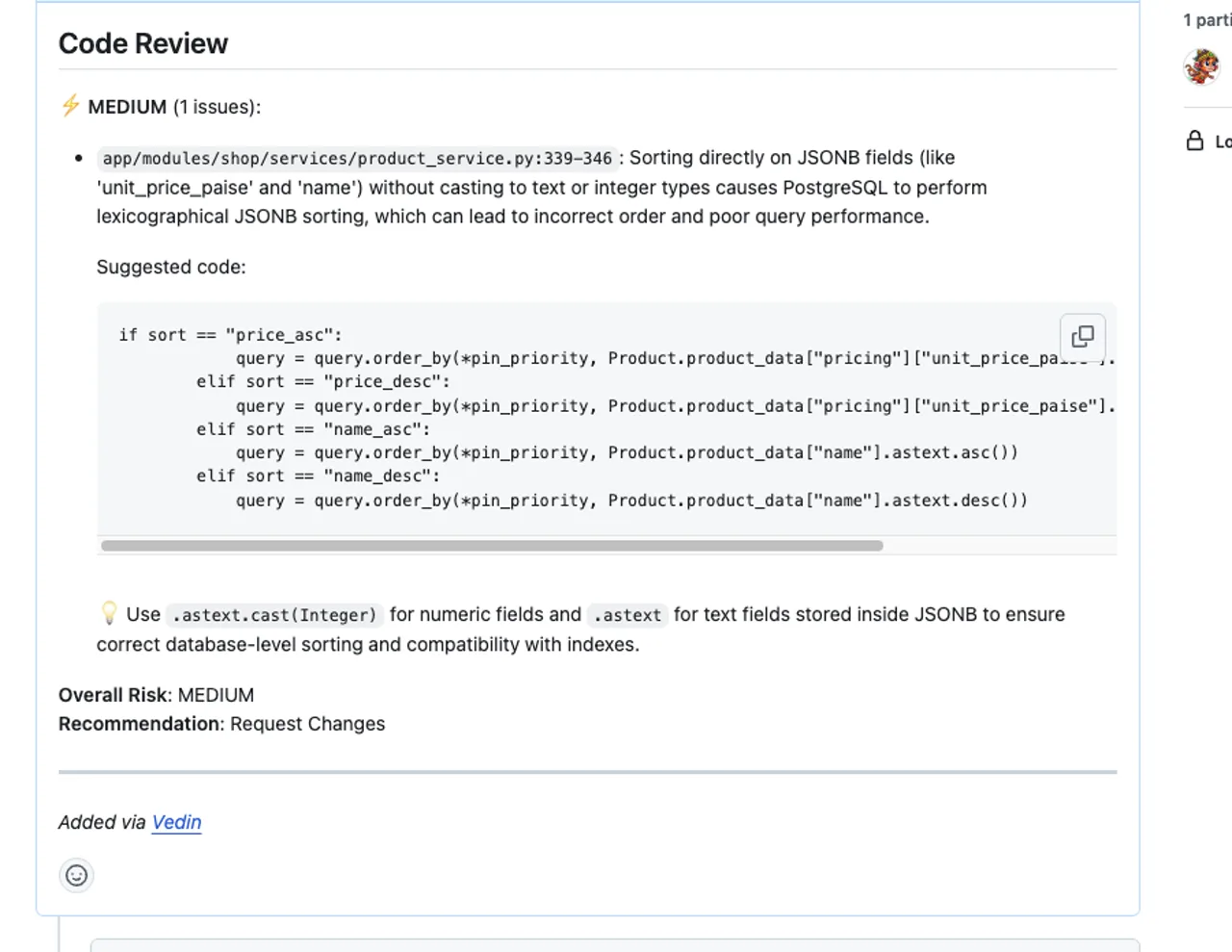
Vedin reviews changed lines, explains potential issues, and suggests fixes. Here, a review identifies a JSON sorting problem and shows a possible correction.
Review and test generated fixes before merging or deploying them.
Bring runbooks and generated documentation into the same workspace as your questions and investigations.
Use Vedin’s MCP interface to make supported knowledge available to external coding agents.
Schedule recurring checks and agent tasks, then inspect their results instead of starting the same job from scratch.
An in-network agent can reach private systems through outbound connections. Team access, enabled tools, and action approvals define how Vedin works with those systems.
This connects private systems; it does not host the full Vedin service or its AI models inside your network.
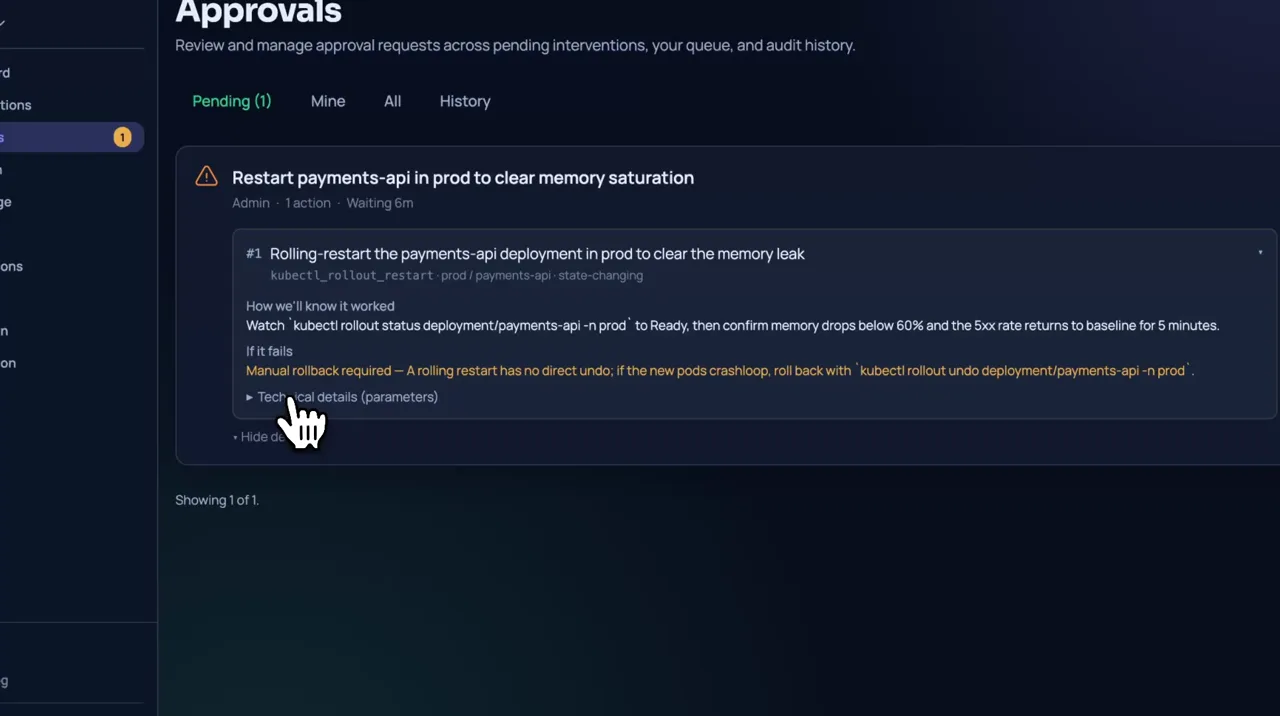
Explore team controlsSensitive tool calls follow the configured action policy and can require an authorized person’s approval. Review your connection scopes and enabled tools before handing over work.
Use Vedin to understand dependencies, spot issues in code changes, and review suggested fixes. Your team still decides what to address and validates each change; Vedin does not automatically clear an existing backlog.
We’ll send you a link to get started.