Organization and team access.
Your organization and team membership determine your access. Vedin searches knowledge available to your team, including information explicitly shared across teams.
Give Vedin useful work while keeping access, actions, and data handling in view. Review the controls and confirm the setup your organization needs.
Start a security reviewChoose connections and tool permissions to match the work you want Vedin to do.
Your organization and team membership determine your access. Vedin searches knowledge available to your team, including information explicitly shared across teams.
Administrators choose which tools Vedin can use. Disabled tools cannot run, and each connection’s permissions still apply.
Review recorded tool calls, outputs, and approval decisions during an investigation. Use that record to understand the findings and decide what happens next.
When a tool call requires approval, the investigation pauses for an authorized person’s decision. The work resumes after that decision, with the outcome recorded.
Approval requirements depend on each tool’s policy, its approver, and the connection’s permissions.
See controls in the product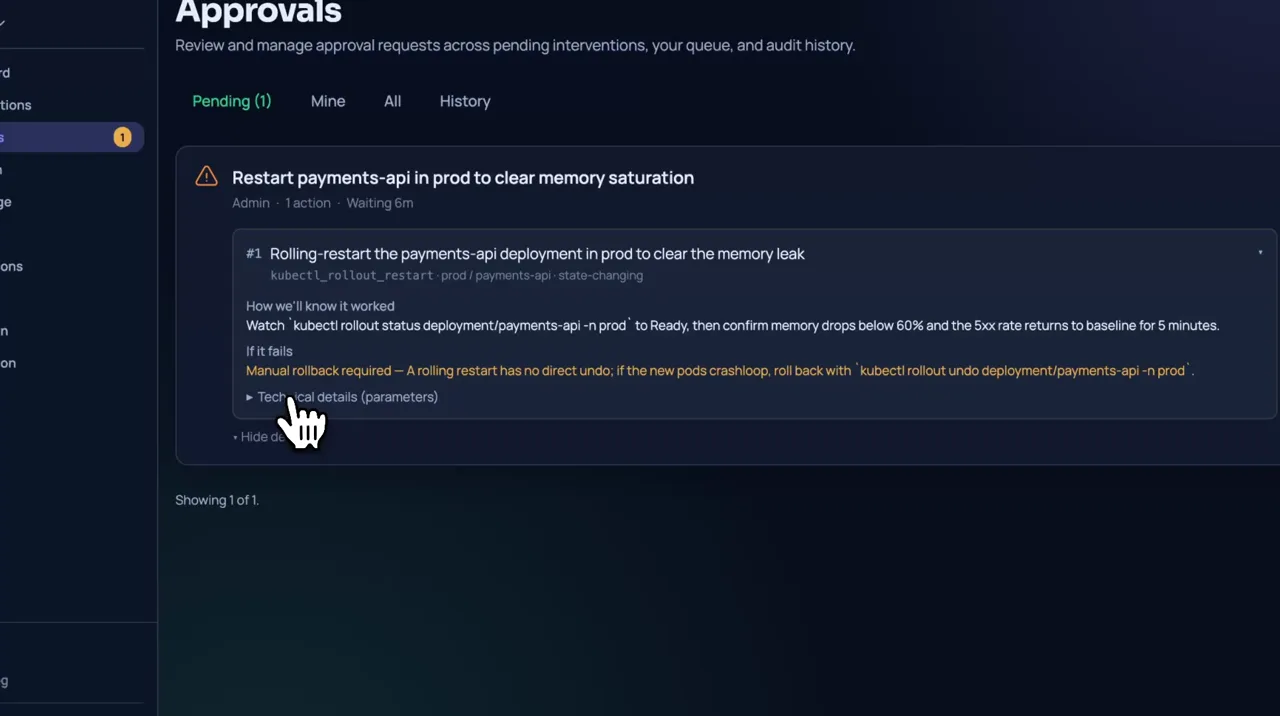
Storage, processing, and retention are different questions. Review each one for your configuration.
Vedin supports organization-specific encryption for customer content, using AES-256-GCM for records and files and Google KMS to protect the organization keys.
Existing organizations may retain plaintext content until encryption rollout and plaintext retirement are complete. Confirm your organization’s encryption status during setup.
Connection configuration and credentials are stored encrypted and resolved when a tool runs. Known secret fields and registered masked values are filtered from model context and recorded outputs.
Tool output can still contain sensitive data. Give connections only the permissions they need, and review the information their tools can return.
Prompts, relevant knowledge, tool results, and conversation context may be sent to the configured AI provider. Knowledge search and document-text extraction also use AI services.
Private-system access and customer-resident storage do not keep AI processing inside your network. The Privacy Policy identifies the hosted AI provider and sets out model-training commitments and configuration exceptions.
Read the Privacy PolicyReview retention, deletion, and backup terms before connecting sensitive information. The Privacy Policy and your applicable written agreement describe those commitments.
Automatic cleanup of completed investigations is off by default. Confirm the retention setting and backup policy for your organization before connecting sensitive data.
Read the Privacy PolicyConnecting a private system does not mean all data stays there. Choosing a storage home does not move AI processing there.
Confirm storage eligibility and setup before importing content. Customer-managed encryption keys and full self-hosting are not offered by the storage option described here.
Tell us what your security or procurement team needs to assess. Confirm requirements before connecting sensitive information.
Ask about the controls, configuration, and evidence relevant to your organization.
Request by emailRequest a DPA and discuss the processing terms your organization needs.
Request by emailRequest the current provider list, processing purposes, and location details.
Request by emailFor contact details, see the Privacy Policy.
We’ll discuss your requirements and the terms available for your organization.
We’ll send you a link to get started.